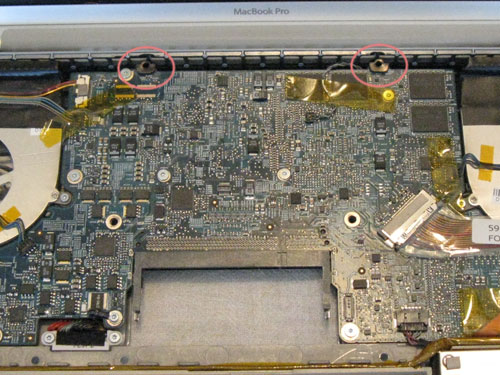
Pentabulous! Fifth MBP Bake Successful
I’m sure for most of you this is getting old (so just buy a new Mac already!). But for me, my investment is being stretched past three years (next month) and I’m still holding out an outside hope that Apple may have a change of heart and decide to include this symptom in the Nvidia case and I’ll get the logic board replaced free and be able to pass it on down to my progeny. I know the symptom is pretty common because this site gets quite a bit of traffic based upon baking a MacBook Pro and this model (A1261) in particular. For those of you that are looking at the possibility of baking your logic board, if you haven’t already, check out the previous articles I’ve posted, specifically beginning with Cooking the Books.
Back to the point of this post–on January 31st, after slightly over four months of up-time (which has been the longest time by a month so far), and right in the middle of huge web launch deadline, my MBP refused to wake up that Friday morning. This time, for the first time, with no peripherals attached when put to sleep by closing the lid–so that kinda blew my peripherals-affecting-the-sleep-mode theory. I went to work going through the now very familiar process of tearing down, baking and putting it all back together. It can be noted that just the weekend before, I finally upgraded to Snow Leopard OSX 10.6.6 from 10.5.8 and upgraded my original 250GB hard drive to 500GB. I don’t think that had anything to do with the last failure, as it was working swimmingly that whole week, but it’s worth noting.
The encouraging news for anybody who has made the commitment or about to make the commitment to bake their logic board, is that in this case, my board has been baked successfully five times. Of course, that is all contingent upon your definition of encouragement.
Here are the (now four) previous MBP Baking Series articles:
Cooking the Books (or, Baking My MacBook Pro Logic Board)
Twice-Baked Mother Board (or Refried Logic of my MacBook Pro)
Ooops! I Baked It Again. (3rd Time!)
It’s Officially a Quad-Baked MacBook Pro (4 Times and Counting)
You can tell I’m running out of steam for creative titles. Next will be something to do with Hexes I’m sure.
It’s Officially a Quad-Baked MacBook Pro (4 Times and Counting)
For those who are keeping track of how many times my MBP has been baked and come back to life, as it stands, the official count is now four. This time, it lasted over one and a half months since the last baking session. I won’t bore you with any new details other than to say, after four successful tries, I’m now committed (like I wasn’t before) to baking the board for as long as it will let me do it. I’m sure that at some point, it will finally give up the ghost, but until then…
Some points to note: it now only takes me about 15 minutes to tear apart the machine (disassemble is probably a gentler way of saying that). It takes a little longer putting it back together because after spending a great deal of time trying to reconnect the only connector that connects to the underside of the board (connecting with me on this?) and then position the board at an angle so that I can get the port side (the other side) to fit through the openings in the case and allow the board to seat properly. I invariably fail to remember that I didn’t connect the battery unit before I went through the convolutions necessary to seat the board. I then remove the board, affix the battery and then go through said convolutional placement of board once more. So, in all, the reassembly takes at least 10 minutes longer for me. However, I’m getting real good at it. Maybe next time, I will remember to affix the battery beforehand.
For those coming to this article for the first time, I have three other posts of the whole MacBook Pro logic board baking ordeals:
Cooking the Books (or Baking my MacBook Pro Logic Board)
Twice-Baked Mother Board (or Refried Logic of my MacBook Pro)
Ooops! I Baked It Again (3rd Time!)
Ooops! I Baked It Again. (3rd Time!)
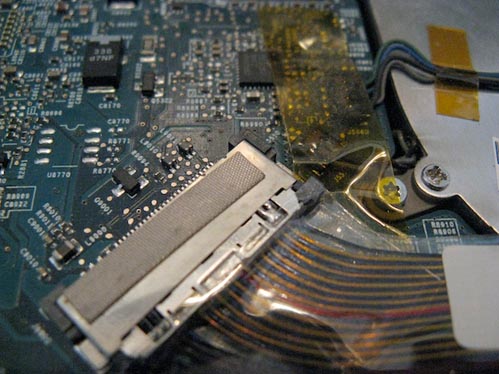
In the ongoing saga of trying to keep my MacBook Pro alive long enough to replace it, I just had to bake the logic board again. For those of you that are keeping score or just curious about how many times a MacBook Pro motherboard can be yanked out and baked and put back in and still work again—so far, we’re at three now. The bad news is, where the first bake lasted three months, this last re-bake (or re-fry or whatever) has lasted only one month and four days. So, replacement time is coming on quicker than I was hoping! For details of the logic board baking process I used, read about my first Cooking the Books article or the second, Twice-Baked Motherboard. For the differences I did this time, read on…
Twice-Baked Mother Board (or Refried Logic of my MacBook Pro)
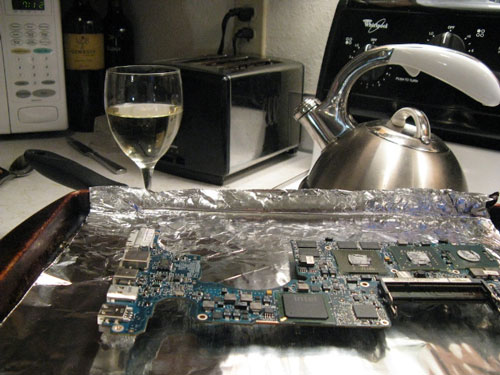
Wondering what pairs best with a refried MacBookPro logic board? Well, just in case you were, my suggestion would be a 2008 Viognier from Coeur d’Alene Cellars (full-disclosure: they are a client of mine and they keep me supplied). I would also recommend as an après-bake maybe a Merlot. I happened to have the remains of a 2007 Hogue Genesis Merlot that filled in quite nicely. I needed it as I was In the process of baking my MBP logic board for the second time.
This is a follow-up article to my 4/27/10 Cooking The Books post for those who might be wondering how long a baked mother board lasts…
Cooking the Books (or, Baking My MacBook Pro Logic Board)
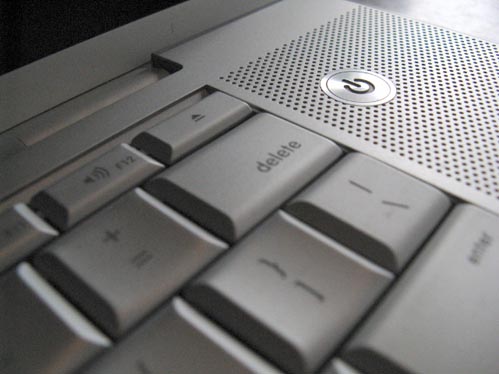
Well, it’s taken me a little while to get this post up—not to mention the fact that its taken me a long while to get any posts up—but I thought this one was worth it just as an encouragement for anyone else who might be dealing with a fried MacBook Pro logic board that is out of the AppleCare warranty coverage. I also needed to get this post up before I forgot most of the details.
As a little background, I put my MBP (17″ 2.5GHz-early 2008, Model A1261 to be exact for you that are searching) to sleep by closing it up for the night, which I’ve done for the past 2+ years with no problems. The next morning I noticed that the glowing power light on the latch release was off and thought it strange and then went to open and wake it and nothing happened. After futilely trying to wake it by varying degrees of banging on random keys and quickly pressing the power button I waited several minutes before I committed to powering it down. After powering it down, I tried to start it back up. While I could hear the hard drive spin up and the optical drive go through its start-up whirrings, there was no start-up chime and no effort to display anything on screen. I tried all the start-up key combinations to start in safe-mode, reset PRAM, start diagnosis—nothing worked. Tried to insert original system install disk and boot from that, all to no avail.